




About Miradore
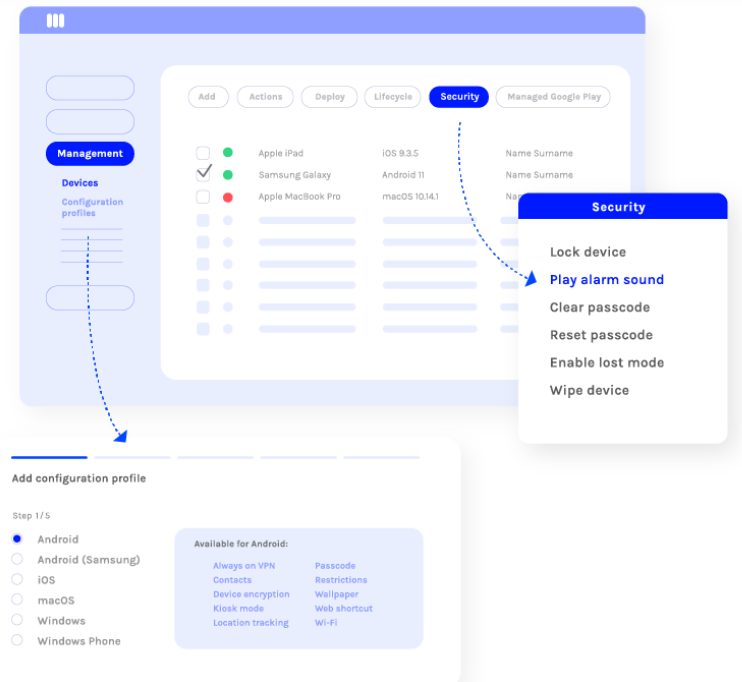
Miradore is a Windows, Mac, Linux, Android, iPhone-based software solution available on TechBag, the B2B software discovery and comparison platform. Miradore is a cloud-based Mobile Device Management platform for SMBs that provides a smarter way to securely manage both company-owned and personal Android, iOS, macOS, and Windows devices. What is Mi Businesses use TechBag to compare Miradore with alternatives, read verified user reviews, and access exclusive discounts of 10–30% off list price.
Key Capabilities of Miradore
Miradore provides capabilities including BYOD Management, Mobile Device Management, Unified Endpoint Management, Enterprise Mobility Management. These features make it a strong choice for organizations looking to strengthen their IT infrastructure and cybersecurity posture. Explore the full feature list and side-by-side comparisons on TechBag.
Who Uses Miradore?
Miradore is commonly adopted by teams of 150 professionals. It supports Windows, Mac, Linux, Android, iPhone and is suitable for businesses seeking reliable BYOD Management solutions. Whether you are a small business or an enterprise, TechBag helps you evaluate if Miradore fits your requirements.
Why Compare Miradore on TechBag?
TechBag simplifies B2B software procurement by offering verified reviews, transparent pricing, and side-by-side product comparisons. When evaluating Miradore or exploring alternatives, TechBag helps you make informed purchasing decisions with exclusive discounts and direct vendor access. Schedule a 15-minute consultation to get personalized pricing for Miradore.
Frequently Asked Questions About Miradore
- What is Miradore?
- Miradore is a BYOD Management, Mobile Device Management, Unified Endpoint Management solution. Miradore is a cloud-based Mobile Device Management platform for SMBs that provides a smarter way to securely manage both company-owned and personal Android, iOS, macOS, and Windows devices. What is Mi. It is listed on TechBag for easy comparison, reviews, and procurement with exclusive discounts.
- How can I get a discount on Miradore?
- TechBag offers exclusive 10–30% discounts on Miradore. Request a quote or schedule a call with TechBag's procurement team to get the best price for your organization.
- Are there verified reviews for Miradore?
- Yes, Miradore has 1 verified review on TechBag with an average rating of 9.0 out of 5. Read what real users have to say about their experience with Miradore.
- Where can I buy Miradore?
- You can purchase Miradore through TechBag at www.thetechbag.com. TechBag provides exclusive discounts, verified reviews, and a streamlined procurement process designed for businesses of all sizes.
- How does Miradore compare to alternatives?
- TechBag provides detailed side-by-side comparisons of Miradore against competing solutions. Compare features, pricing plans, user reviews, and specifications to find the best fit for your organization's needs.
 Email Support