Data & privacyNote
Signal blocks screenshots on iOS 27 to keep Siri AI out of chats; on Mac it cannot
Signal’s post of 20 November and its app code: what is blocked on iPhone and Android, what stays open on Mac, and the AI-agent clause Citi added to its user agreement this month.

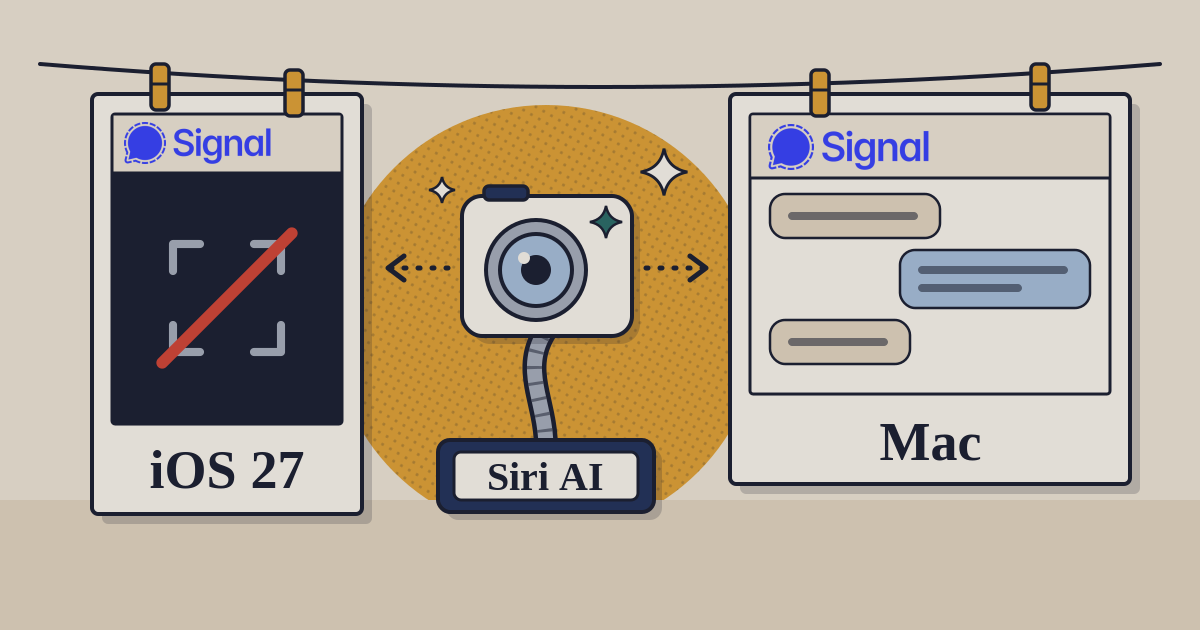
Signal is blocking screenshots inside its app on iOS 27 by default, so that Siri AI cannot capture what is on the screen, and on Android it switches on its Screen security setting when it detects an AI assistant trying to read a Signal chat. Meredith Whittaker, Signal’s president, announced the change on 20 November. AI agents built into operating systems, she wrote, are changing them “in a way that’s making it increasingly hostile to privacy. This is an existential threat to Signal, and our ability to responsibly uphold our mission.”1
01What an assistant sees, and what Signal now blocks
Signal encrypts a message between the sender’s device and the receiver’s. Once it is decrypted and shown, it is text on a screen, and the operating system can read a screen. Apple calls the feature onscreen awareness: “Siri AI can answer questions or take actions related to the content on a user’s screen.”4 Signal says what such agents capture is “made accessible to whatever local database or remote server an OS-level AI agent is using at that moment”, outside its control, which “imperils the privacy of all the participants in a conversation”.1
An app has one blunt tool against this: tell the system that its window may not be captured. Signal did so on Windows 11 in May 2025 against Microsoft Recall, which takes screenshots every few seconds.2 On iPhone the new control is named “Block Siri AI” in the app’s public code, with three positions: On, Off, and Off for 10 Minutes. The app’s own text says it “also blocks you from taking screenshots in the app and App Switcher”.3 Android ships in many phone makers’ versions, and Signal says that for many it has no reliable way to detect an attempted screenshot. So it waits until an assistant asks for the screen, then turns Screen security on.1
Signal blocks AI screen capture on iPhone, Android and Windows; the Mac and data already on a device stay open
What Signal says it blocks on each operating system and what it says it cannot, as of 20 November 2026
What stays open
- Mac, macOS 27: no screenshot block
- Android devices Signal cannot cover
- Data already on a device, read through the filesystem
- Any device where the user has turned the block off
What Signal blocks
- iPhone, iOS 27: screenshots in the app, by default
- Android: the screen, once an AI assistant asks for it
- Windows 11: screenshots of Signal Desktop, by default since May 2025
Show tableHide table
| Operating system | What Signal does | What is left to the user |
|---|---|---|
| iPhone, iOS 27 | Blocks screenshots in the app by default: “Block Siri AI” | Can be turned off, or off for 10 minutes |
| Android | Turns Screen security on when an AI assistant asks for the screen | Not every Android device is covered; the setting can be turned off |
| Mac, macOS 27 | No block: Signal says it “cannot reliably block screenshots” | Add Signal to Excluded Apps in Siri’s settings |
| Windows 11 | Blocks screenshots of Signal Desktop by default, since May 2025 | Screen security can be turned off |
Source: Signal, posts of 20 November 2026 and 21 May 2025; Signal’s iOS and Android source code (main branch) · as of 24 November 2026, 7:45pm IST
02What stays open, and what Signal asks for
Signal calls its own remedy incomplete. Blocking screenshots, it says, “does not address other more sneaky ways AI agents could potentially access application data, such as retrieving content already present on a user’s device via the filesystem”. On the Mac there is no block: the protections against continuous screen capture do not extend to screenshots, and its only recommendation for macOS 27 is to add Signal to Excluded Apps in Siri’s settings.1 Apple added that per-app exclusion in iOS 27.2, the Electronic Frontier Foundation wrote on 28 October.5
It asks Apple, Google and Microsoft for two things: “an easy and well-documented way” for developers to opt an app out of AI data access, covering screen reading, files, notifications and APIs; and published specifications of how the agents handle data. It is “cautiously optimistic” that Google and Apple “are engaging with us”. The post names no Signal version and no rollout date.1
A bank drew its own line this month. Citi’s Online User Agreement, “last updated November 2026”, gained a Section H on third-party AI agents. “You are cautioned against using any third-party AI Agent to access your accounts,” it says, and for a customer who does: “Citi will consider any access and actions taken by the agent as authorized by You.”6 That is two kinds of company, a messaging non-profit and a bank, drawing a line around AI agents in the same month.
Sources
- Signal (Meredith Whittaker), Signal is Serious About Protecting Your Privacy — 20 November 2026
- Signal, By Default, Signal Doesn’t Recall — 21 May 2025
- Signal, Signal-iOS source code, English strings (Localizable.strings); Signal-Android strings.xml — live file, read 24 November 2026
- Apple, Siri AI, a profoundly more capable and personal assistant powered by the next generation of Apple Intelligence, is here — 14 September 2026
- Electronic Frontier Foundation (Thorin Klosowski), Victory! You Can Now Exclude Apps from Siri AI — 28 October 2026
- Citi, Citi Online User Agreement, Section H: Use of Third-party Artificial Intelligence (“AI”) Agents — last updated November 2026
- Signal Support, Screen Security — undated page
Disclosure. TechBag is a software reseller: it earns when companies buy through it, including from vendors named here. The analysis is TechBag’s own; no vendor paid for or saw this piece before publication. Facts are labelled reported, TechBag count or our view. How the Journal works.
Keep reading