Microsoft To Do retires on 30 June; existing tasks will not move to Planner
Microsoft’s Planner post of 18 November: the To Do apps end on 30 June 2027, tasks are not migrated, personal accounts get no replacement, and what admins should do now.

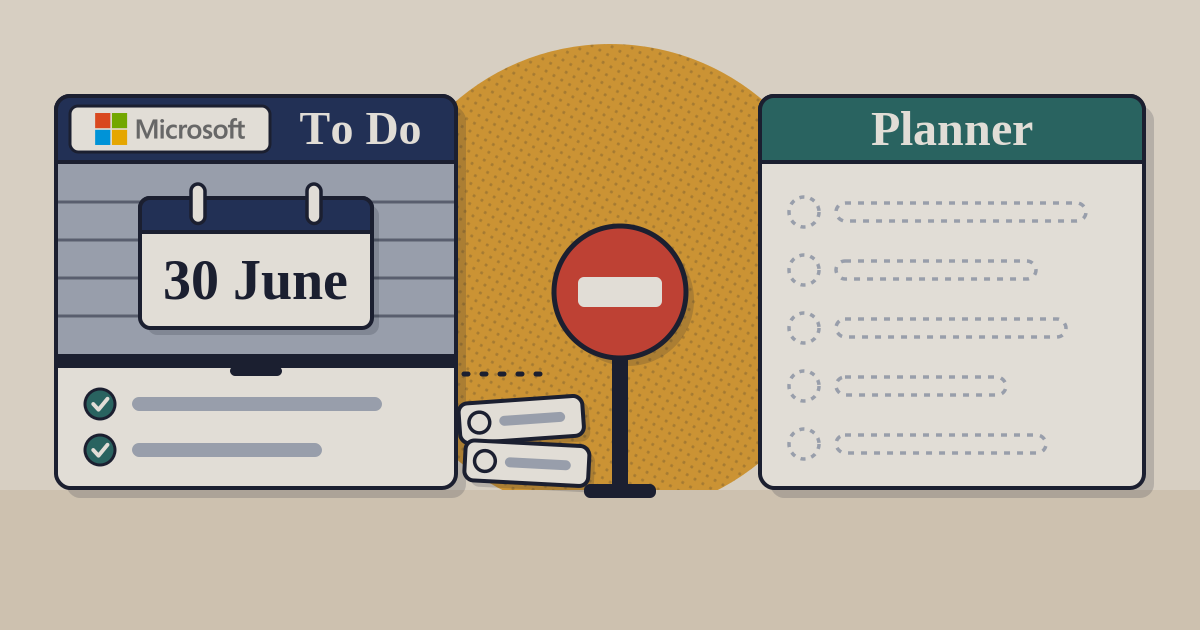
Microsoft will retire the To Do apps on 30 June 2027. Its Planner team said so on 18 November, near the end of a long post about “unified plans”: “The To Do apps will retire on June 30, 2027.”1 The transition page names what goes: To Do on the web, Windows, Mac, iOS and Android, for work or school accounts and for personal Microsoft accounts.2 For work accounts the replacement is Planner, where a redesigned My tasks view begins rolling out in December 2026. The tasks people already have do not come with them.
To Do's apps retire on 30 June 2027, seven years after Microsoft ended support for Wunderlist
Microsoft's task apps, June 2015 to June 2027, from Microsoft's own posts, support page and lifecycle page
Show tableHide table
| Date | Event | Detail |
|---|---|---|
| Jun 2015 | 2 June: Microsoft buys Wunderlist | It acquires 6Wunderkinder, the Berlin maker of the to-do app |
| May 2020 | Wunderlist support ends | The end date on Microsoft's lifecycle page |
| Nov 2026 | 18 November: To Do retirement announced | In the Planner team's post on unified plans |
| Dec 2026 | New My tasks starts rolling out | New private tasks go into a private Planner plan, not To Do |
| Jun 2027 | 30 June: To Do apps retire | Existing To Do tasks can no longer be seen or managed in Planner |
Source: Microsoft: Planner Blog, 18 November 2026; To Do transition page; Official Microsoft Blog, 2 June 2015; Wunderlist lifecycle page · as of 24 November 2026, 7:45pm IST · December 2026 is the start of a rollout; Microsoft gives no day
01What goes, what stays and what does not move
“Existing To Do tasks and lists will not migrate to Planner,” the page says. They stay visible in Planner through 30 June 2027; after that, “you will no longer be able to view or manage them in Planner”. The date does not delete anything: “App retirement does not itself schedule existing task data for deletion.”2 Open the table for each group and its date:
Show tableHide table
| Who or what | What happens | When |
|---|---|---|
| To Do apps: web, Windows, Mac, iOS, Android | Retire, for work, school and personal accounts | 30 June 2027 |
| Existing To Do tasks and lists, work or school accounts | Not migrated; visible in Planner until the date, then not | Through 30 June 2027 |
| New private tasks created in Planner | Stored in a private Planner plan, not in To Do | From the My tasks rollout, December 2026 |
| Personal accounts, including Microsoft 365 Personal and Family | Planner is not available; choose another app | 30 June 2027 |
| To Do service, APIs and synchronisation | Retire later, with separate notice | No date given |
| Export of To Do data | Promised before the apps retire; instructions not yet published | No date given |
| Tasks in classic Outlook | Separate; keeps working and syncing with Exchange | No change |
Planner is not a like-for-like swap, and Microsoft lists the gaps. It offers web and Teams experiences only: native apps for Windows and Mac “are not planned”, and there is no equivalent offline use. Shared-list membership, assignments and permissions “will not transfer”. File attachments are not currently supported on tasks in the new private plan, reminders work differently, list groups have no direct equivalent, and Planner labels do not sync with Outlook categories.2 Microsoft has done this before. It bought Wunderlist’s maker, 6Wunderkinder, on 2 June 2015, and its lifecycle page puts the end of Wunderlist support in May 2020.8 9
02What an admin does now
- Confirm Planner access. Microsoft says no new configuration is required and the change brings no separate administrator controls, but if Planner is disabled in your organisation, affected users need it enabled.2 Planner comes with Microsoft 365 Business Basic and Office 365 E1, E3 and E5, among other plans.3
- List what depends on To Do. Shared lists, the Flagged email list that Outlook fills when a user flags a message,4 and any app that calls the To Do API in Microsoft Graph (
/me/todo/lists) with theTasks.ReadorTasks.ReadWritepermission.5 6 Granted permissions are listed in the Entra admin centre under Entra ID > Enterprise apps > All applications, on each app’s Permissions page.7 Those connections “will continue beyond that date”, with separate notice before they end.1 - Settle what must be kept. Microsoft promises a way to export To Do data before the apps retire, and warns that an export “does not migrate tasks or lists into Planner”. Where retention rules apply, it asks users to check with their administrator before deleting or reorganising tasks.2 Its Graph documentation says To Do tasks can already be exported as a PST from a Microsoft Purview content search.5
- Tell users early. Anyone using To Do with a personal account, including Microsoft 365 Personal and Family, must pick another app. Desktop users lose their app. Microsoft says to watch the message centre for rollout details.2
Sources
- Microsoft Planner Blog: Introducing unified tasks and plans for Copilot and Microsoft 365 (Ashna Patel) — 18 November 2026
- Microsoft Support: Moving from Microsoft To Do to Microsoft Planner — undated page
- Microsoft Learn: Microsoft Planner for admins — last updated 20 November 2026
- Microsoft Support: To Do vs. Planner — undated page
- Microsoft Learn: To Do API overview (Microsoft Graph) — last updated 29 August 2025
- Microsoft Learn: Microsoft Graph API reference, List lists (todoTaskList), permissions — last updated 13 November 2025
- Microsoft Learn: Review permissions granted to enterprise applications — last updated 19 February 2026
- The Official Microsoft Blog: Welcome 6Wunderkinder! Microsoft acquires Wunderlist — 2 June 2015
- Microsoft Learn: Wunderlist, Microsoft Lifecycle — undated page
Disclosure. TechBag is a software reseller: it earns when companies buy through it, including from vendors named here. The analysis is TechBag’s own; no vendor paid for or saw this piece before publication. Facts are labelled reported, TechBag count or our view. How the Journal works.
Keep reading