Microsoft 365 Backup keeps SharePoint and OneDrive backups 10 years, up from two
Microsoft’s notice of 24 November: the new recovery windows for SharePoint and OneDrive, what stays the same for Exchange, the US$0.15 per GiB price and where admins set it.

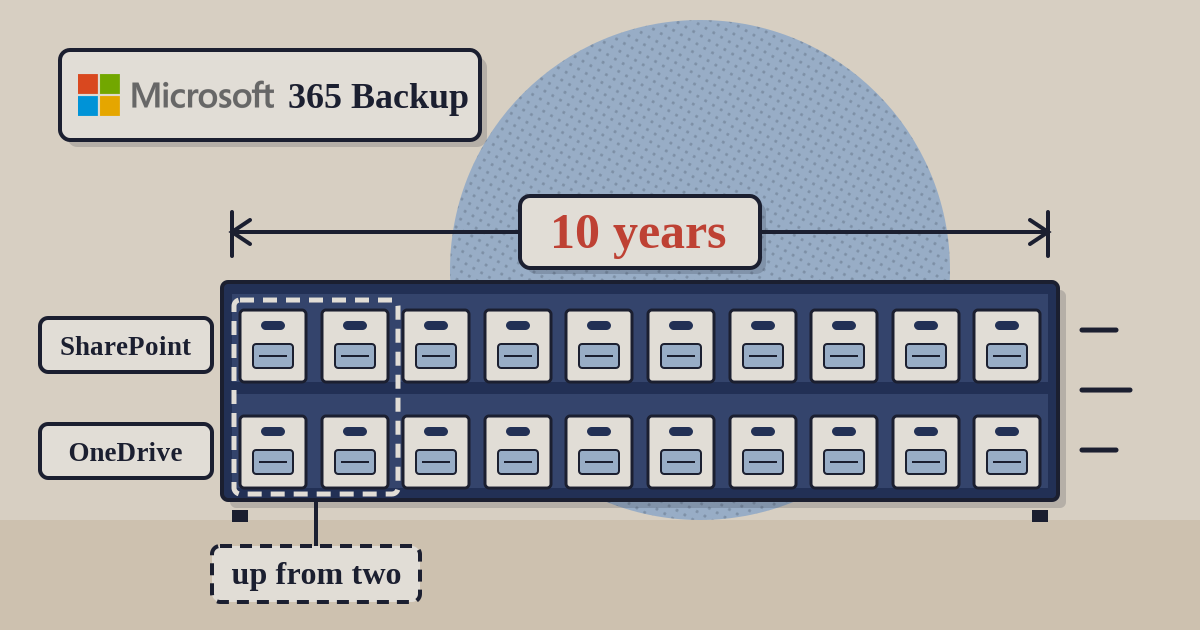
Microsoft 365 Backup can now keep SharePoint site and OneDrive account recovery points for up to 10 years. The previous maximum was two years. Admins can set a window of 3 months, 6 months or any whole number of years from 1 to 10; Exchange mailboxes stay at 3 months, 6 months, 1 year or 2 years, and “the existing one-year default recovery window remains unchanged”. Microsoft’s message-centre post of 24 November, MC1567262, says the change is available now worldwide and that no action is required.1 Its what’s-new page dates the capability 31 October.2
01What changes, and what does not
Recovery windows only became adjustable on 18 September, with a choice of up to two years; policies that already existed kept one year.2 A longer window does not hand over a decade at once. For a full site or account restore, Microsoft keeps a recovery point every 10 minutes for the past two weeks, then weekly points through the configured window, “subject to the backup history accumulated since protection began”. Raising the window does not recreate points that have already expired.6 Restoring single files and folders works only from the most recent 14 days; an older point restores the whole site or OneDrive account, to its own address or a new one.3
Show tableHide table
| Service | Maximum before | Maximum now | Default |
|---|---|---|---|
| SharePoint sites | 2 years | 10 years | 1 year |
| OneDrive accounts | 2 years | 10 years | 1 year |
| Exchange mailboxes | 2 years | 2 years (unchanged) | 1 year |
02What the product is, and what it costs
Microsoft 365 Backup is Microsoft’s own paid backup for SharePoint sites, OneDrive accounts and Exchange mailboxes, run from the Microsoft 365 admin centre; its general-availability rollout began on 31 July 2024.8 Backups are held in append-only storage inside the service, and Microsoft says retention and deletion policies, for example from Purview, “don’t affect the backup recovery window”.3 The two do different jobs. A Purview retention policy keeps or deletes content in place for compliance, holding copies of edited or deleted SharePoint files in the site’s Preservation Hold library;9 a backup is a separate set of recovery points for rolling a site or mailbox back after ransomware or a mass deletion.
The list price is US$0.15 per GiB of protected content a month, pay as you go, billed through an Azure subscription; restores are free and there are no extra Azure storage charges.5 7 What is counted is the live size of each protected site or account, including its first-stage recycle bin, plus deleted and versioned content held for recovery. Deleted content drops off the bill only when it expires from the backup, once the recovery window lapses: Microsoft’s own example is a 1 GiB site cut to 0.5 GiB that is billed as 1 GiB for a year.5 Microsoft’s pricing page gives no separate rate for longer windows and does not say whether they cost more. By that same rule, our reading is that a 10-year window keeps deleted content billable for up to 10 years.
03What an admin does
- Nothing, if a year is enough. Existing policies keep their window.1
- To lengthen it: in the Microsoft 365 admin centre, go to Settings > Microsoft 365 Backup, open an active SharePoint or OneDrive policy (or create one), set the Recovery window, and select Update policy or Create policy.1 The window cannot be changed on a paused policy or while a run is in progress.4
- Be careful shortening it. Recovery points older than the new window are deleted after a 30-day grace period, and moving a site into a policy with a shorter window does the same.4
- Check the compliance side. Microsoft asks organisations to review their backup, data-retention and compliance requirements first.1 Note that Microsoft’s FAQ says that when a user is deleted from Microsoft Entra ID, the OneDrive backup is kept for one year from the date it was created.6
TechBag resells Microsoft 365 through Microsoft’s Cloud Solution Provider programme. Two other SharePoint Online dates to plan for: tempauth file links end on 1 April, and new classic publishing sites are blocked from 1 March.
Sources
- Microsoft 365 message centre, MC1567262: Microsoft 365 Backup: Up to 10-year recovery windows for SharePoint and OneDrive (read via mc.merill.net) — 24 November 2026
- Microsoft Learn: What's new in Microsoft 365 Backup — updated 23 November 2026
- Microsoft Learn: Overview of Microsoft 365 Backup — updated 20 November 2026
- Microsoft Learn: Create, view, and edit backup policies in Microsoft 365 Backup — updated 20 November 2026
- Microsoft Learn: Pricing model for Microsoft 365 Backup — updated 20 November 2026
- Microsoft Learn: Frequently asked questions about Microsoft 365 Backup — updated 4 November 2026
- Microsoft Learn: Set up Microsoft 365 Backup — updated 19 November 2026
- Microsoft 365 message centre, MC841241: Microsoft 365 Backup is now generally available (read via mc.merill.net) — 29 July 2024
- Microsoft Learn: Learn about retention policies and retention labels (Microsoft Purview) — updated 22 July 2026
Disclosure. TechBag is a software reseller: it earns when companies buy through it, including from vendors named here. The analysis is TechBag’s own; no vendor paid for or saw this piece before publication. Facts are labelled reported, TechBag count or our view. How the Journal works.
Keep reading