Power Apps developer environments: deleted from 15 December, gone for good 15 January
Microsoft’s notices MC1515303 and MC1515294, updated 20 November: when developer and Dataverse for Teams environments are deleted, how to find them, and what keeping them costs.

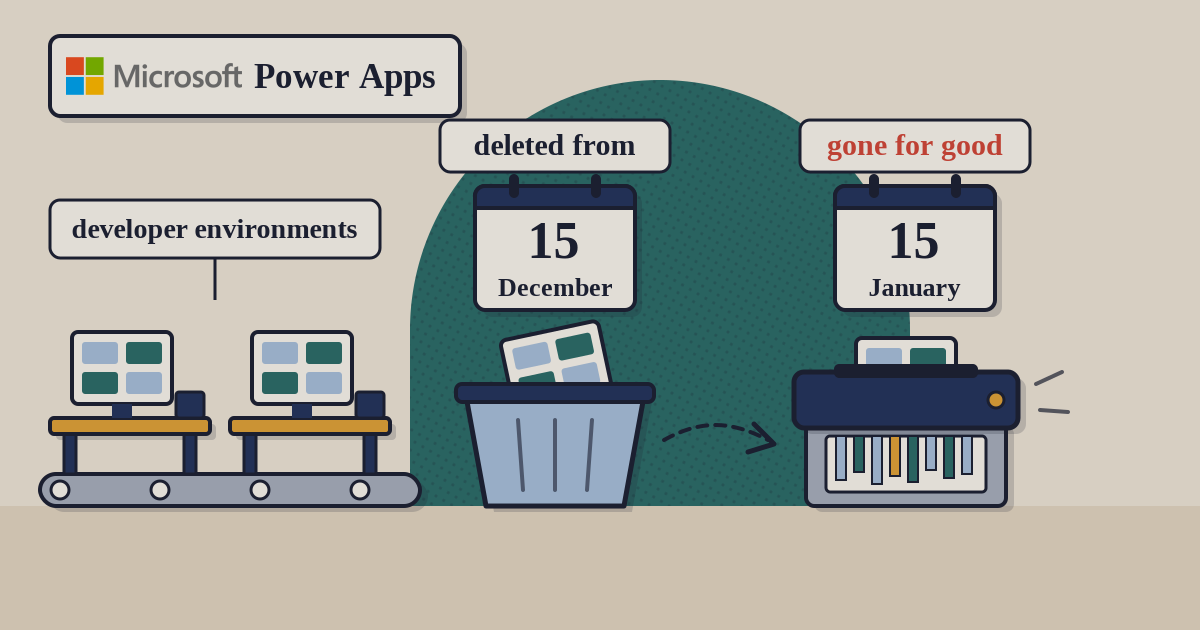
Every unmanaged Power Apps developer environment, including each one created by the free Power Apps Developer Plan, is deleted in a regional rollout that begins on 15 December, with permanent deletion from 15 January 2027. Apps, flows, solutions and data not migrated before 15 December “will be deleted”; an administrator can recover a deleted environment until the January rollout, and after that “the environment and its data are permanently deleted and cannot be recovered.” Sign-ups for the plan and the creation of new unmanaged developer environments stopped from 15 November. Microsoft said so in message-centre post MC1515303, published on 19 October and updated on 20 November, which we read through the public archive at mc.merill.net (the message centre itself sits inside each tenant).1 The plan was open to anyone with a work or school address backed by Microsoft Entra ID, and came with Visual Studio Dev Essentials.4
Developer environments stop working on 15 December; Dataverse for Teams gets until 15 September
Start dates of each regional rollout in Microsoft's retirement of unmanaged developer environments and Dataverse for Teams, November 2026 to October 2027
Show tableHide table
| Date | Event | Detail |
|---|---|---|
| 15 Nov 2026 | 15 Nov: creation stops | No new unmanaged developer environments or Dataverse for Teams environments |
| 15 Dec 2026 | 15 Dec: developer environments go | Recoverable deletion begins; Learn calls it suspension |
| 15 Jan 2027 | 15 Jan 2027: gone for good | Permanent deletion of unmanaged developer environments begins |
| 15 Sept 2027 | 15 Sep 2027: Teams environments go | Recoverable deletion of Dataverse for Teams begins |
| 30 Oct 2027 | 30 Oct 2027: gone for good | Permanent deletion of Dataverse for Teams environments begins |
Source: Microsoft message centre MC1515303 and MC1515294 (via mc.merill.net); Microsoft Learn, Important changes coming in Power Platform · as of 28 November 2026, 7:15pm IST
01Deleted, then permanently deleted
Microsoft Learn names the first phase differently. From 15 December, unmanaged developer environments are “suspended”: “Their apps, flows, agents, Power Pages developer sites, and data aren’t available.” From 15 January, “suspended unmanaged developer environments are deleted.”3 So 15 December is when work stops, and the month after it is a window for recovery, not more time to build. The usual soft-delete period for a Power Platform environment is seven days; a deleted environment is recovered from the Power Platform admin center under Manage > Environments > Recently deleted environments, can need spare storage capacity, and can take several hours.5
Show tableHide table
| Environment | What happens | Rollout begins |
|---|---|---|
| Unmanaged developer (incl. Developer Plan) | Sign-ups and new environments stop | 15 November 2026 |
| Unmanaged developer (incl. Developer Plan) | Recoverable deletion (Learn: suspended) | 15 December 2026 |
| Unmanaged developer (incl. Developer Plan) | Permanent deletion (Learn: deleted) | 15 January 2027 |
| Dataverse for Teams | No new environments | 15 November 2026 |
| Dataverse for Teams | Recoverable deletion (Learn: suspended) | 15 September 2027 |
| Dataverse for Teams | Permanent deletion (Learn: decommissioned) | 30 October 2027 |
| Managed developer, production, sandbox, trial, default | Not affected | No date |
The developer type survives only as a managed environment, one per user; those created by environment routing are managed by default. Solutions exported before suspension are not affected.3
02Dataverse for Teams, the second clock
MC1515294 retires Dataverse for Teams, the cut-down Dataverse built into Microsoft Teams, on the same pattern; it does not cancel Microsoft 365 or Teams subscriptions, or touch Dataverse in Power Platform environments.2 Learn says each such environment is capped at 2 GB and lacks direct API access, custom connectors, desktop flows and AI Builder. Admins find them under Manage > Environments with Type set to Microsoft Teams. Upgrading to full Dataverse keeps the apps, flows, agents and data, but the tenant needs at least as much spare Dataverse capacity as the environment uses, and users then need Power Apps, Power Automate or Copilot Studio licences. Teams, channels, chats and files stay.3
03What to do before 15 December, and what it costs
- Find them. In the Power Platform admin center, go to Manage > Environments and filter Type: Developer, Managed: No. The Last activity column shows which are still in use.3
- Export. Export the solutions, and any data that needs to be kept.1
- Convert or move. Turn on Managed Environments for a developer environment to keep it as it is, or import its solutions into a sandbox. Managed Environments rights are not in the Developer Plan; they come with standalone Power Apps, Power Automate, Copilot Studio, Power Pages and Dynamics 365 licences.3 Unassigned licences the tenant already holds cost nothing extra, and a free 90-day Power Apps trial can bridge a maker without one.1
Microsoft lists Power Apps Premium at US$20 a user a month, paid yearly, or US$12 with a 2,000-seat minimum.6 In India the list price is ₹1,665 a user a month, paid yearly, before 18% GST: about ₹1,965 with it.7 Microsoft’s rupee cloud prices also change on 1 January, as our Analysis of the currency notice sets out. TechBag resells Microsoft products through Microsoft’s Cloud Solution Provider programme.
Sources
- Microsoft 365 message centre MC1515303: Information regarding the end of support for Power Apps Developer Plan and unmanaged developer environments (via mc.merill.net) — 19 October 2026, updated 20 November 2026
- Microsoft 365 message centre MC1515294: Feature retirement of Microsoft Dataverse for Teams: migrate before September 15, 2027 (via mc.merill.net) — 19 October 2026, updated 20 November 2026
- Microsoft Learn: Important changes (deprecations) coming in Power Platform — updated 23 November 2026
- Microsoft Learn: Power Apps Developer Plan Guide: Features and Benefits — updated 26 October 2026
- Microsoft Learn: Recover a recently deleted environment — updated 1 September 2026
- Microsoft: Power Apps licensing and pricing (US) — read 28 November 2026
- Microsoft: Power Apps licensing and pricing (India) — read 28 November 2026
Disclosure. TechBag is a software reseller: it earns when companies buy through it, including from vendors named here. The analysis is TechBag’s own; no vendor paid for or saw this piece before publication. Facts are labelled reported, TechBag count or our view. How the Journal works.
Keep reading